Restaurant POS hardware: what you actually need to open
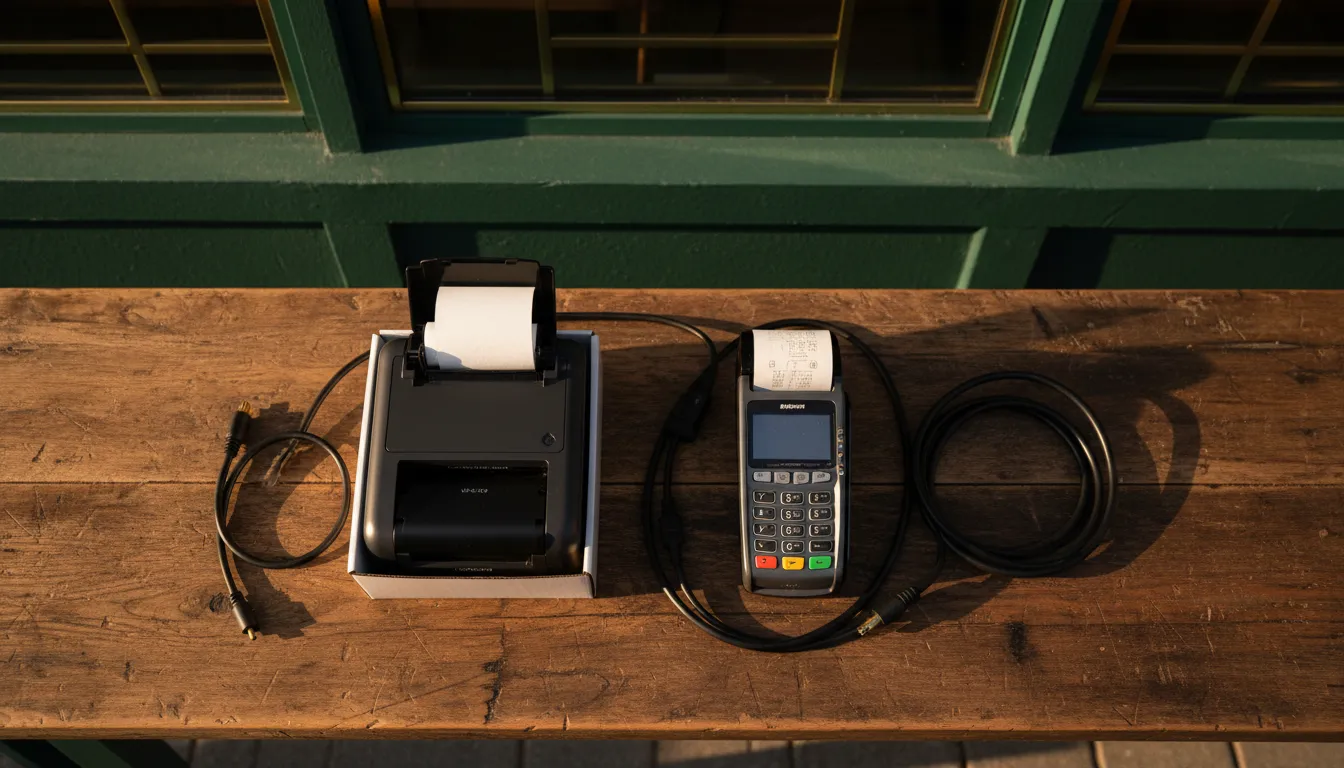
The minimum that runs a service
Most hardware lists are written by the company selling the hardware. They present a dozen components as essential, from barcode scanners to customer-facing displays. This is rarely true. The real list of what you need to open is much shorter, especially for a counter-service restaurant, cafe, or food truck.
A small operation can run its first day of service on three core pieces of equipment: a tablet, a printer, and a cash drawer. That's it.
- A terminal: This is the brain. It can be a modern, Android-based terminal or simply an iPad running your POS software. This is where staff take orders and manage payments.
- A printer: For a small setup, one thermal printer can serve for both customer receipts and kitchen tickets.
- A cash drawer: It connects to your printer and opens automatically on cash sales. While cash use is declining, Federal Reserve data from 2026 shows it still accounted for 14% of all payments. Furthermore, many cities and states (including New York, New Jersey, and Massachusetts) legally require businesses to accept it.
That minimal setup, combined with a compatible card reader from your payment processor, is enough to take an order, send it to the kitchen, take payment, and open the drawer for cash. Anything beyond this is an optimization, not a requirement for opening. Full-service restaurants or high-volume kitchens will want a dedicated kitchen printer or a Kitchen Display System (KDS) from day one, but the principle is the same: start with the core function and expand from there.
Terminals, tablets and what breaks first

The POS terminal is the center of your operation. It’s either a dedicated, all-in-one unit with a built-in screen and sometimes a printer, or a tablet (usually an iPad) in a stand. All-in-one terminals are often more rugged, with spill-resistant screens and sturdy construction designed for a commercial environment. Their downside is that if one component fails, the entire station may need to be replaced, leading to a full station shutdown. All About Point of Sale notes this trade-off clearly.
Tablet-based systems are modular. If an iPad breaks, you can often source a replacement locally and be running again the same day. This modularity is a key advantage. However, consumer-grade tablets are not built for the heat, grease, and constant use of a restaurant. A durable case and stand are not optional. The most common points of failure are charging ports (from constant plugging and unplugging) and the tablets themselves if they are dropped.
For many new restaurants, starting with a modern AI POS system on a tablet is the most flexible and cost-effective path. It keeps initial hardware costs low while providing powerful software capabilities. Systems like SyncBite run on standard tablets, allowing you to mix and match hardware that fits your budget. This avoids getting locked into proprietary hardware that only works with one software provider.
Printers: kitchen, receipt and the wiring in between
You need to get orders to the kitchen and give receipts to customers. While email and text receipts are common, many customers still expect a paper copy. This means you need at least one printer.
There are two main types:
- Thermal printers: These are used for customer receipts. They are fast, quiet, and the paper is inexpensive. Their weakness is that the print can fade when exposed to heat, making them a poor choice for hot kitchen environments.
- Impact printers: These use ribbons and are louder, but the print is permanent and resistant to heat and grease. This makes them the standard for kitchen order tickets (chits). TouchBistro highlights this as a key reason they are a top choice for kitchens.
For a small cafe, a single thermal printer at the counter can handle both jobs. For any restaurant with a separate kitchen line, a dedicated impact printer in the back is a necessity. A more advanced alternative is a Kitchen Display System (KDS), a screen that displays orders digitally. A KDS can reduce paper costs and lost tickets, but it represents a higher upfront investment. You can learn more about the trade-offs in our KDS vs. kitchen printer guide.
Printers connect via USB, Ethernet, or Bluetooth. An Ethernet (wired) connection to your router is the most reliable. USB is also stable but tethers the printer to a single POS terminal. Bluetooth offers flexibility but is the most likely to lose connection during a busy service.
See the hardware in action.
Curious how orders flow from a phone to the kitchen display? Our interactive demo shows the complete journey, from a guest placing a WhatsApp order to the ticket appearing on the KDS.
Explore the Live DemoCash drawers, card readers and what is locked to a processor
The cash drawer is a simple device, but it must be compatible with your POS and receipt printer. It typically connects to the printer via an RJ11/RJ12 cable and is triggered to open by a command from the POS software when a cash sale is completed.
The credit card reader is the most critical and most restricted piece of hardware. You cannot simply buy any card reader and expect it to work. It must be specifically supported by and provisioned for your chosen payment processor. This is for security and PCI compliance.
When you choose a POS system from providers like Toast or Square, you are often required to use their payment processing and their proprietary card readers. This hardware will not work with any other system. Other POS platforms, including SyncBite, offer more flexibility by integrating with multiple payment processors. This allows you to shop for the best transaction rates and potentially use hardware you already own, provided it's compatible. Before you sign any contract, be clear on what hardware you are required to buy or lease and whether it locks you into a single payment processor. This is a common trap that can cost you thousands in the long run, especially if you want to switch POS systems later.
What happens when the internet drops

Your network is the invisible part of your hardware setup, and it determines what happens on your worst night. A cloud-based POS system relies on an internet connection to function. When that connection fails, some systems grind to a halt. Others have an offline mode, but the capabilities vary wildly.
A good offline mode should allow your staff to continue taking orders and processing some payments locally. When the internet connection is restored, the system syncs the offline transactions with the cloud. However, not all offline modes are equal. Key questions to ask a provider are:
- Does offline mode activate automatically? Or does staff need to manually enable it? Automatic activation is better.
- Can staff still take orders? Can they open, edit, and close checks on all terminals?
- Do tickets still fire to kitchen printers or a KDS? This requires a stable local area network (LAN), even if the wider internet is down.
- How are card payments handled? Some systems can queue encrypted card data for processing later (often called “store and forward”). This carries a risk that the payment might be declined once it’s processed online. Other systems may only allow cash sales offline.
- How long can it operate offline? Is there a time or transaction limit before the system stops working? Some POS providers note that online ordering features will be disabled after a set period, like 15 minutes, if the system cannot reconnect.
At SyncBite, if the internet goes down, your terminals can continue to communicate with each other and the kitchen printers over your local WiFi network. Staff can continue to ring in orders and take cash payments. Card payments via our integration partners may be queued or temporarily unavailable depending on the specific processor's offline capabilities. Once the connection is restored, all data syncs automatically. Online orders from WhatsApp or your website will stop coming in until the connection is back, as the system can't communicate with the ordering servers.
What to buy later, once you know your volume
Once your restaurant is open and you have a better understanding of your daily workflow and bottlenecks, you can make smarter investments in additional hardware. Buying everything on day one often leads to wasted money on equipment that doesn't solve a real problem.
Consider these upgrades once you have established your sales volume:
- Kitchen Display System (KDS): If your kitchen is struggling with paper tickets, a KDS can streamline communication, track ticket times, and improve accuracy. It’s a significant upgrade from printers.
- Handheld ordering tablets: For full-service restaurants, giving servers handheld devices to take orders tableside can increase turn times and order accuracy. It reduces the time spent walking to and from a fixed terminal.
- Customer-facing display: A small, secondary screen that shows customers their order as it's being rung up. It improves transparency and can reduce errors for counter-service spots.
- Self-service kiosks: For high-volume, quick-service restaurants, a self-ordering kiosk can handle a significant portion of orders, freeing up staff to focus on fulfillment and customer service.
- Barcode scanner: Generally more useful for restaurants with a retail component, like selling merchandise, bottled sauces, or bags of coffee. For most restaurants, this is not a priority.
Each of these items solves a specific problem related to scale. Wait until you actually experience that problem before you spend money to solve it. Your initial capital is better spent elsewhere.
FAQ
What is the minimum POS hardware for a small cafe?
A small cafe can start with a tablet (like an iPad), a compatible credit card reader, a single thermal printer for receipts and kitchen tickets, and a cash drawer. This setup allows you to take orders, accept payments, and manage basic operations without a large upfront hardware cost.
How much does restaurant POS hardware cost?
The cost varies widely. A basic setup using a tablet you may already own could be under $1,000. A more traditional, multi-terminal system can cost between $1,200 and $10,000 upfront for hardware, plus monthly software fees, according to 2026 market analysis from TCANG.
Can I use my own iPad for a restaurant POS?
Yes, many modern POS systems, including SyncBite, are designed to run on iPads or Android tablets. This can significantly reduce your startup costs. Ensure the software you choose is compatible with your device's model and operating system.
Do I still need a cash drawer in 2026?
It's highly recommended. While digital payments are dominant, cash still makes up 14% of all consumer payments according to the Federal Reserve. Furthermore, several states and cities, including New York and San Francisco, have laws requiring businesses to accept cash payments, making a cash drawer a near-necessity for compliance.
What happens to my POS if the WiFi goes out?
It depends on your system's offline mode. A good POS will allow you to continue taking orders and cash payments by running on your local network. Card payments might be queued for later or temporarily disabled. Always verify the specific offline capabilities before choosing a POS provider.
Ready to build your system?
Start with the software that gives you options. SyncBite runs on flexible, non-proprietary hardware you can afford. Try it free for 14 days, no credit card required.
Start Free Trial