Self-ordering kiosks for restaurants: the numbers before the hardware
What a kiosk changes about a service
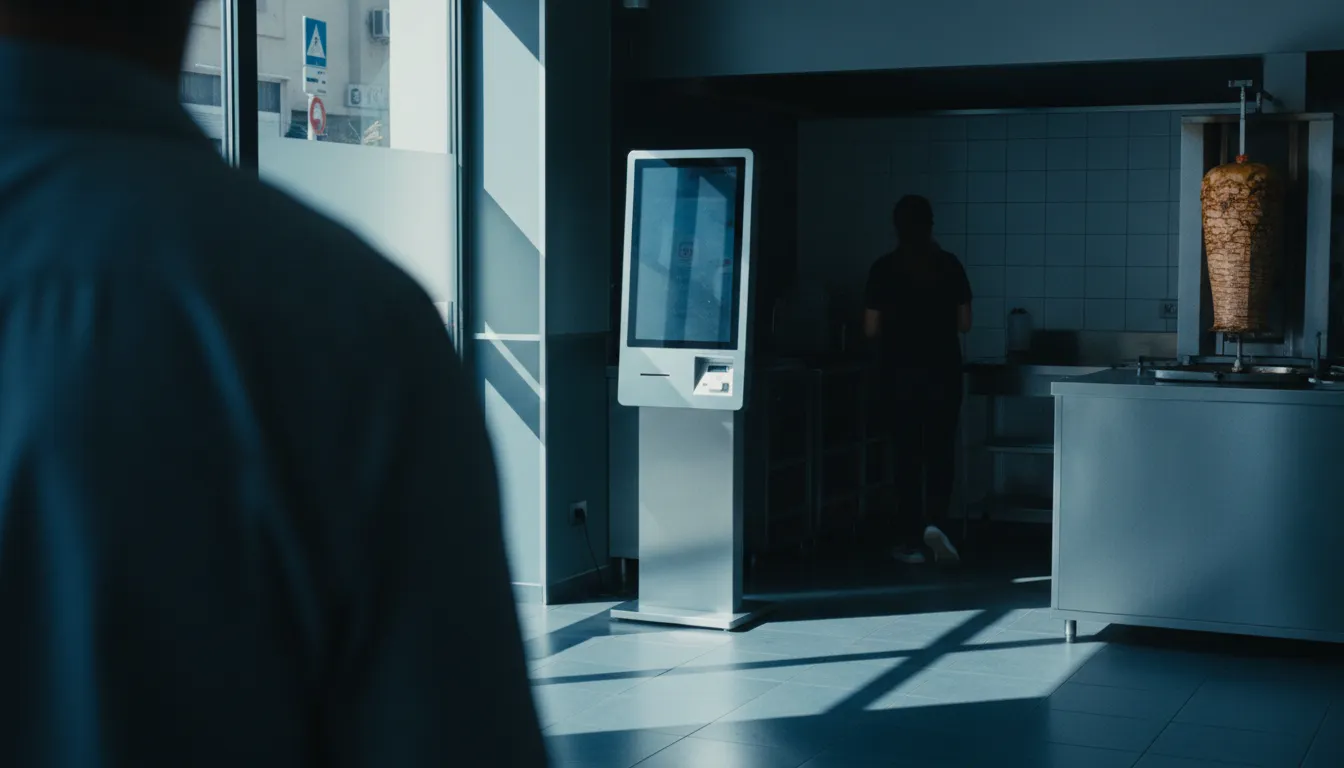
A self-ordering kiosk does one job: it moves the task of taking an order from your staff to your guest. Instead of a conversation at the counter, a guest uses a touchscreen to browse the menu, add items, apply modifiers, and pay. The order then appears in the kitchen, usually on a kitchen display system (KDS).
This changes the service flow entirely. The counter is no longer a bottleneck during a rush. With two or three kiosks, you can process multiple orders simultaneously, whereas a single cashier can only handle one. For a quick-service restaurant (QSR), this means more orders get through during the critical lunch or dinner peak. Data from some providers suggests that kiosks can reduce total order time by nearly 40%, as reported by Restroworks. This speed is a key reason why many U.S. consumers report preferring self-service to interacting with staff, citing a less stressful experience.
The interaction itself is different. At a counter, a guest is often aware of the line behind them and the cashier waiting for their decision. This social pressure leads to faster, more predictable orders. A kiosk removes that pressure. Guests can explore the menu, read descriptions, and consider add-ons at their own pace. This unhurried browsing is a key reason why order values tend to increase.
Hardware and software cost, honestly

Vendors often advertise a low monthly software fee, but the total cost of a kiosk is much higher. You are buying specialized commercial hardware, and the price reflects that. As of mid-2026, operators should expect to pay for four distinct things:
- Hardware: This is the physical terminal, stand, and integrated card reader. A simple countertop unit might cost $1,500 to $2,000, while a freestanding floor unit typically runs from $2,500 to $5,000. Outdoor-rated units for drive-thrus are significantly more expensive.
- Software: This is the recurring fee for the ordering interface, menu management, and system updates. It's usually a monthly or annual subscription per kiosk.
- Payment Processing: You still pay per-transaction fees, just as you do with a standard POS. The rates depend on your processor, but they apply to every dollar the kiosk takes.
- Installation: This can include cabling, network configuration, and physically mounting the unit. Depending on your restaurant's layout, you may need to run new electrical and data lines, which adds cost.
A realistic budget for a single freestanding kiosk is between $2,000 and $6,000 upfront, plus the ongoing software and payment fees, according to analysis from Infi. Because of this, the payback period is usually calculated in months or even years, and it depends almost entirely on the kiosk's ability to increase sales.
What happens to average ticket size
The single most important financial argument for a kiosk is its effect on average order value (AOV). Across the industry, restaurants consistently report that customers spend more when ordering from a screen. The reported lift ranges from 10% to 30%, according to Bite. McDonald's, an early adopter, found customers spent about a dollar more per order, which translated to a 30% increase in their average check.
This increase comes from two main sources:
- Consistent, automated upselling: A kiosk never forgets to ask, "Would you like to make that a large?" or "Add a cookie for $1?" It presents visual prompts for combos, sides, and desserts at the exact moment a guest is making a decision. Unlike a busy cashier during a rush, the machine is a perfect salesperson every time. One study found that 67% of restaurants using kiosks saw increased check sizes due to upsell prompts.
- Unhurried guest exploration: Without the pressure of a queue, guests are more likely to browse and discover new items. They might add a dipping sauce they didn't know you had or try a seasonal special shown with an appealing photo. This behaviour, combined with loyalty program integration, has been shown to boost spending per order by over 20% in some cases.
This AOV lift is the engine that drives a kiosk's return on investment. The math is simple: a 15% increase on a $20 ticket is an extra $3 per order. Multiply that by hundreds of orders a day, and the hardware starts to pay for itself.
See how QR and Kiosk orders work together.
SyncBite's AI POS unifies every order channel—kiosk, QR code, WhatsApp, and delivery apps—into a single kitchen display and dashboard. See it in action.
Explore the live demoLabour: reallocated, rarely removed

A common misconception is that kiosks are primarily a tool for cutting labour costs. While they can reduce the need for staff dedicated solely to taking orders, most operators find they reallocate those hours rather than eliminating them. The very thing that makes a kiosk profitable, a higher ticket from a better experience, depends on the rest of the operation running smoothly.
Think about where the work goes. The order-taking is automated, but someone still has to prepare the food, assemble the tray, expedite orders, clean the dining room, and help guests who have questions. If you cut staff to pay for the kiosk, you often create a new bottleneck in the kitchen or at the hand-off counter. This slows down service, negating the speed advantage of the kiosk in the first place.
An operator who buys a kiosk to fire a cashier has missed the point. The kiosk pays for itself through the average ticket increase. That increase is generated by a guest who has a smooth, low-friction experience. If that guest's bigger, more complex order takes too long to arrive or is handed off by a stressed-out skeleton crew, they won't come back. The smart play is to reassign the former cashier to a role that directly supports that better experience: an expeditor, a food runner, or a floating customer host who can help with kiosk questions and keep tables clean.
Accessibility and the guests kiosks lose you
A kiosk is a physical barrier for some guests. The Americans with Disabilities Act (ADA) requires that public accommodations be accessible, and courts have consistently applied this to self-service technology. An inaccessible kiosk is not just a customer service failure; it's a legal liability.
Common accessibility failures include:
- Reach and height: The screen and payment terminal must be within reach for a guest in a wheelchair. ADA standards specify a reach range between 15 and 48 inches from the floor for controls.
- Visual impairment: A touchscreen-only interface is unusable for a blind guest. True accessibility requires audio output (like a headphone jack) and tactile input (like a physical keypad with braille), but many kiosks lack these features.
- Cognitive accessibility: A confusing or cluttered interface can be a barrier for guests with cognitive disabilities.
According to the CDC, 1 in 4 adults in the US has some form of disability. When a restaurant relies exclusively on kiosks without providing an equally effective staff-assisted ordering path, it risks excluding a significant portion of its potential customers. The solution isn't to avoid kiosks, but to ensure they are compliant and that staff are trained to offer immediate, equivalent service to any guest who cannot or prefers not to use one.
Kiosk versus QR ordering on the phone
A kiosk is not the only way to let guests order for themselves. QR code ordering, where guests scan a code with their own phone to open a web-based menu, achieves a similar outcome with a different set of trade-offs.
| Feature | Self-Ordering Kiosk | QR Code Ordering |
|---|---|---|
| Hardware Cost | High ($2,000-$6,000+ per unit) | Near zero (uses guest's phone) |
| Guest Experience | Large, controlled interface. Can be a bottleneck. | Familiar device, order from anywhere (e.g., table). |
| Upselling | Very effective due to large visuals and focused flow. | Effective, but on a smaller screen with more distractions. |
| Payment | Accepts cards, cash (with extra hardware), and mobile payments. | Digital payments only (card, Apple Pay, Google Pay). |
| Best For | High-volume QSRs with a counter queue. | Dine-in restaurants, food halls, venues with table service. |
The choice depends on your service model. A kiosk excels at managing a single, high-traffic ordering point, like the front counter of a burger joint. It offers a large, branded screen that is great for visual merchandising. However, it requires a significant capital investment and only serves one person at a time.
QR ordering is far more flexible and cheaper to deploy. You can turn every table in your restaurant into an ordering station for the price of a few stickers. This is ideal for casual dining, breweries, and food trucks where guests order from their seats. A comprehensive QR ordering guide can show how this works in practice. The downside is that it relies on the guest's device and connectivity, and it doesn't accept cash. For many operators, a hybrid approach using a system like SyncBite, which integrates QR, online, and kiosk orders into a single dashboard, offers the most flexibility.
When a kiosk is the wrong purchase
A self-ordering kiosk is a powerful tool, but it's not the right fit for every restaurant. Buying one when your operation isn't ready for it is an expensive mistake.
A kiosk is likely the wrong purchase if:
- Your bottleneck is in the kitchen, not at the counter. If your kitchen can't keep up with the current order volume, making it faster to place orders will only make the backup worse. A kiosk speeds up the front of the line; it doesn't cook food faster. Before investing in ordering tech, make sure your kitchen workflow is optimized, perhaps with a better KDS or kitchen printer setup.
- You run a full-service, relationship-based restaurant. In fine dining or any concept where the server's expertise and personal connection are part of the product, inserting a screen into the process can detract from the experience.
- Your customer base is not tech-comfortable. If your primary clientele would be confused or intimidated by a large touchscreen, forcing them to use one is a recipe for lost business. You must always provide a simple, friendly alternative.
- You can't afford the ticket lift to disappear. The ROI of a kiosk is funded by a 10-30% increase in AOV, a figure supported by multiple sources like Tabesto. If you have to cut staff to the bone to afford the hardware, you may lose the very service quality and speed that enables that higher spend.
Ultimately, a kiosk is a capital investment that solves a specific problem: a queue of people waiting to place an order at a counter. If you don't have that problem, you are buying a very expensive solution in search of a problem.
FAQ
Do restaurants lose money on kiosks?
Restaurants can lose money if they buy a kiosk for the wrong reason. The ROI comes from a 10-30% lift in average order value, not from cutting labor. If an operator cuts staff to fund the kiosk, service can suffer, erasing the ticket lift that was supposed to pay for the machine.
How much does a self-service kiosk cost for a restaurant?
A self-service kiosk for a restaurant typically costs between $2,000 and $6,000 for the hardware, such as a freestanding or countertop unit. This price does not include recurring monthly software fees, payment processing charges, or potential installation costs.
Do customers spend more at kiosks?
Yes, customers consistently spend more at self-ordering kiosks, with average order values increasing by 10% to 30%. This is because they feel less rushed, can browse the full menu visually, and are presented with automated upsell suggestions for every order.
What is the difference between a kiosk and QR code ordering?
A kiosk is dedicated hardware the restaurant owns, best for managing a queue at a single counter. QR code ordering uses the customer's own smartphone, turning any table into an ordering point. Kiosks have a high upfront cost, while QR ordering is cheaper to deploy and more flexible for table-service models.
Are self-ordering kiosks ADA compliant?
Not always. Many kiosks are not accessible to guests with visual or mobility impairments, creating legal risks under the ADA. Compliance requires features like specific screen heights, audio output via a headphone jack, and tactile controls, which are often missing from standard models.
Ready to unify your ordering?
Stop juggling tablets and systems. See how SyncBite brings all your orders into one place, increases ticket sizes, and automates your marketing. Start your 14-day free trial.
View pricing and start trial