KDS vs. kitchen printer: which is right for your restaurant?
- Traditional kitchen printers: reliability and limitations
- Kitchen Display Systems (KDS): digital advantages and functionalities
- Key differences: speed, routing, accuracy, and data insights
- When a kitchen printer is sufficient for your operation
- When a KDS becomes a necessity
- Comparing kitchen workflow systems
- Addressing KDS connectivity concerns and backup solutions
- The role of SyncBite in modernizing kitchen workflows
- Making the right choice for your restaurant's specific needs
- FAQ
Traditional kitchen printers: reliability and limitations

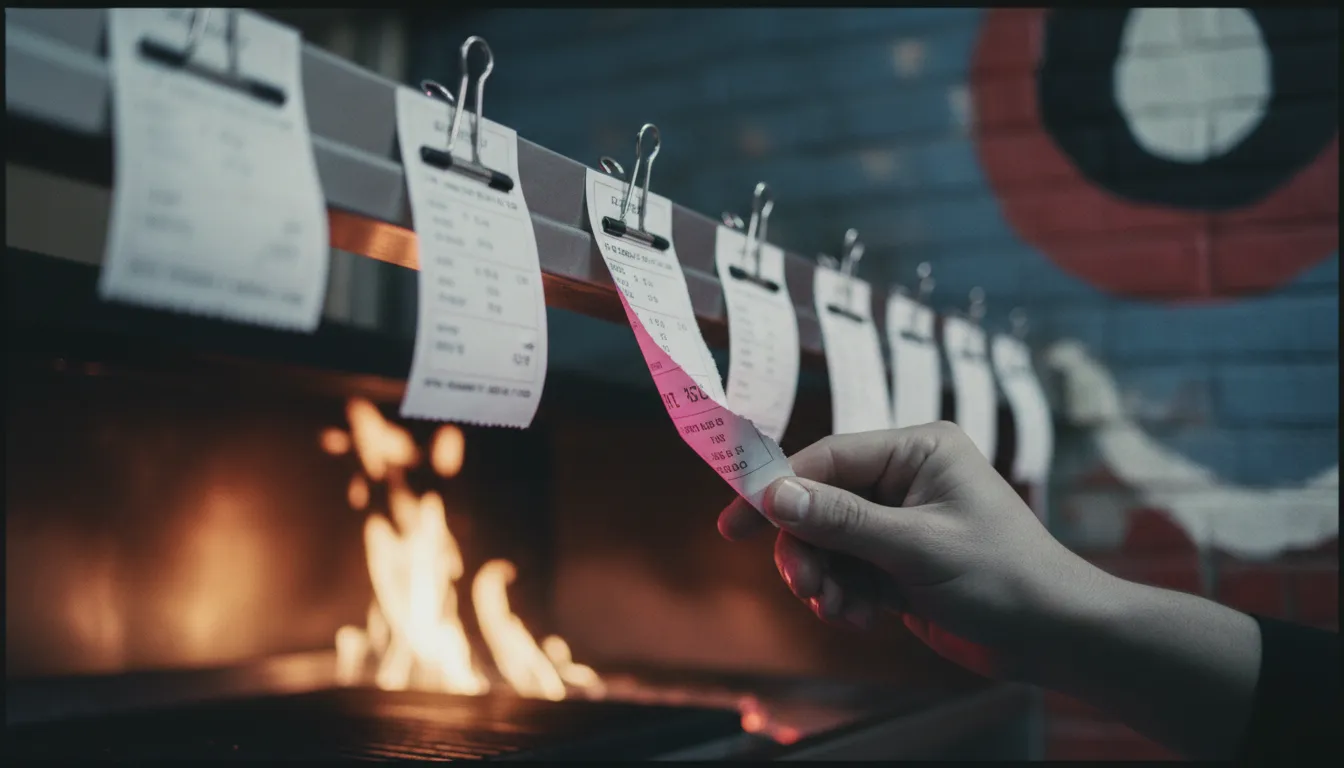
For decades, the sound of a thermal printer was the sound of a restaurant kitchen at work. The workflow is simple and familiar: a server enters an order at the POS, and a paper ticket prints in the kitchen. That ticket is the single source of truth for the line cooks, placed on a rail and manually managed until the order is complete.
The primary advantage of a kitchen printer is its simplicity and reliability. It requires minimal setup, the workflow needs no explanation, and it is not dependent on a stable network connection to be useful, once the ticket is printed, it exists physically. For small cafes, food trucks, or restaurants with a straightforward menu and low order volume, this system can be perfectly adequate. The upfront cost is also lower; a commercial-grade thermal or impact printer costs a few hundred dollars, with ongoing expenses limited to paper and ribbons.
However, the limitations of paper become apparent as an operation grows. Paper tickets can be lost, smudged by grease, or damaged by heat and water. There is no way to automatically track how long an order is taking, no easy way to handle modifications, and no system for routing items to different stations. Communication relies on shouting across the line, and there's no data trail to analyze kitchen performance later. Every inefficiency is manual, and every lost ticket costs money in wasted food and time.
Kitchen Display Systems (KDS): digital advantages and functionalities

A Kitchen Display System (KDS) replaces paper tickets with digital screens mounted in the kitchen. Orders sent from the POS appear instantly on the relevant screen, along with modifiers, timers, and allergy information. Instead of a static piece of paper, a KDS creates a dynamic workflow. This shift from paper to screen is becoming standard practice; one industry analysis notes that around 60% of new North American restaurants now deploy a KDS.
The core functions of a KDS go far beyond simply displaying orders. Key functionalities include:
- Intelligent Routing: An order with a steak and a salad can be automatically split, sending the steak to the grill station's KDS and the salad to the cold prep screen. This eliminates the need for an expeditor to manually read and sort tickets.
- Real-Time Timers and Alerts: Every ticket is timed from the moment it's placed. Screens often use color-coding (e.g., green, yellow, red) to show how long orders have been waiting, allowing managers to spot bottlenecks instantly.
- Order Consolidation: A KDS can group items for the same table, ensuring everything is ready at the same time, even if it comes from different stations.
- Data and Analytics: KDS platforms track every step of the cooking process. This generates valuable data on ticket times, station performance, and individual item prep times. This information is invaluable for optimizing menus and kitchen layouts. According to data from Astute Analytica, restaurants that switch to a KDS report prep-time reductions between 15% and 25%.
This digital approach leads to fewer errors, faster service, and a calmer kitchen environment.
Key differences: speed, routing, accuracy, and data insights
The choice between a KDS and a printer comes down to four operational differences.
Speed: Printers add manual steps. Tickets must be physically grabbed, read, and organized. A KDS eliminates this, displaying orders instantly where they need to be. This shaves seconds off every order, which adds up to minutes during a busy service, directly impacting table turnover.
Routing: A printer produces a single ticket with all items. In a multi-station kitchen, staff must read the entire ticket to find their items. A KDS automatically routes specific items to specific screens. The grill cook sees only grilled items; the pantry station sees only salads and cold appetizers. This clarity prevents duplicate work and confusion.
Accuracy: Paper tickets are prone to errors. They can be misread, lost, or have modifications missed. Digital tickets on a KDS are clear and permanent until bumped. Special instructions and allergy alerts can be displayed prominently, reducing the chance of costly mistakes. When an item is 86'd, a modern POS with an integrated KDS can prevent it from being ordered in the first place.
Data Insights: A printer generates no data. An operator has to rely on gut feelings to know if the kitchen is running slow. A KDS tracks everything. You can see that the average ticket time for a burger on Saturday was 12 minutes, but on Friday it was 9 minutes. This data allows for targeted improvements, from staff training to reconfiguring a station. For a detailed look at what to expect in terms of hardware and software expenses, our guide to KDS costs breaks down the numbers.
When a kitchen printer is sufficient for your operation
A KDS is a powerful tool, but it's not a universal necessity. For some restaurants, a simple, reliable kitchen printer is the more practical choice. This is often the case for smaller operations where the complexity of a KDS would outweigh its benefits.
A printer-based system is typically sufficient if:
- Your order volume is low. If your kitchen handles a manageable number of orders at any given time, the manual organization of paper tickets is unlikely to create a bottleneck.
- You have a single kitchen station. If all food is prepared in one area (e.g., a small cafe, a bakery, or a food truck with a focused menu), there's no need for complex order routing. A single ticket that everyone can see works just fine.
- Your menu is simple. Restaurants with few modifiers or complex multi-part orders don't struggle as much with the limitations of paper tickets.
- Your budget is the primary constraint. The upfront cost of a printer is significantly lower than a full KDS setup. For a new business testing a concept, minimizing initial capital expenditure is a valid strategy.
In these scenarios, the added features of a KDS may represent a solution to a problem you don't have. The reliability and low cost of a printer make it a sensible tool for the job.
See a modern KDS in action.
Curious how a fully integrated KDS can streamline your kitchen? Explore our live demo to see how orders from WhatsApp, QR codes, and the POS all flow to the right station, instantly.
Explore the Live DemoWhen a KDS becomes a necessity
As a restaurant's complexity increases, the friction from a paper-based system grows until it becomes a serious operational drag. A KDS is no longer a luxury but a necessity for certain types of businesses.
It's time to upgrade if your restaurant has:
- High order volume: During a busy service, a long rail of paper tickets becomes chaotic and unmanageable. A KDS organizes this chaos, ensuring orders are prioritized correctly and nothing gets missed.
- Multiple kitchen stations: In kitchens with separate grill, fry, pantry, and expo stations, a KDS is essential for coordination. It ensures all components of a table's order are timed to finish together.
- A significant delivery or online ordering business: Orders from multiple channels (in-house, DoorDash, Uber Eats, your own website) all need to funnel into one system. A KDS integrates these disparate sources, displaying them in a unified queue. For more on managing online orders, see our guide on POS integration.
- A focus on data-driven improvement: If you want to systematically reduce ticket times, identify and fix bottlenecks, and optimize your kitchen's performance, you need the data that only a KDS can provide.
For these businesses, the cost of errors, remakes, and slow service caused by a paper system quickly exceeds the investment in a KDS.
Comparing kitchen workflow systems
The choice is not just about a single piece of hardware but the entire system it supports. While many POS providers offer KDS solutions, they often come with different costs, contract terms, and hardware requirements. Here is a comparison of a typical legacy printer setup, a popular KDS provider like Toast, and SyncBite's integrated AI POS.
| System | Base Monthly Price | Processing Model | Contract Length | Hardware Lock-in | Best-fit Operator |
|---|---|---|---|---|---|
| Traditional Printer Setup | $0 (with existing POS) | Varies by POS/processor | Varies by POS provider | None (printers are standard) | Small, single-station cafes or food trucks with low volume and simple menus. |
| Toast KDS | $75/month per screen (as of Aug 2026) | In-house processing required | 2-3 years typical | Yes (proprietary hardware) | High-volume restaurants needing a dedicated KDS, willing to commit to a single hardware and processing ecosystem. |
| SyncBite AI POS | $0 (KDS included in free plan) | Flat rate, no lock-in | Month-to-month | No (runs on standard iPads) | Restaurants of any size wanting an integrated system for online ordering, kitchen management, and marketing without long-term contracts. |
It's important to note the total cost of ownership. While a traditional printer has a low entry cost, it offers no efficiency gains. A system like Toast provides a capable KDS but requires commitment to their hardware and payment processing, which can be costly. For an operator who needs a powerful KDS but also wants flexibility and to avoid hardware lock-in, SyncBite is a better fit. However, a restaurant already deeply invested in the Toast ecosystem and satisfied with its terms may find adding their KDS to be the path of least resistance.
Addressing KDS connectivity concerns and backup solutions
A common hesitation for operators considering a KDS is the fear of system failure. What happens if the internet goes down? A kitchen that can't receive orders is a kitchen that's out of business for the night. This is a valid concern, and the answer depends on the system's architecture.
Most modern KDS solutions, including SyncBite, are designed with offline functionality. Here’s how it typically works:
- Local Network Reliance: A well-designed KDS doesn't rely on the public internet for in-store communication. The POS terminals and KDS screens communicate with each other over the restaurant's local Wi-Fi or wired network. If your internet service provider has an outage, orders from in-house terminals will still appear on the KDS screens.
- Offline Mode for Payments: POS systems like SyncBite can enter an offline mode, queuing credit card payments to be processed once connectivity is restored. Staff can continue to take orders and accept cards, minimizing service disruption.
- What Breaks Without Internet: The functions that depend on the cloud will be unavailable. This primarily means online orders from third-party apps or your website will not be received until the connection is back. Access to remote dashboards or analytics will also be paused.
- The Ultimate Backup: Even with dependable offline modes, some operators opt for a belt-and-suspenders approach. They keep a single, inexpensive impact printer connected to the POS system. If the KDS network were to fail completely (a rare event, but possible), they can switch to printing tickets as a last resort.
With SyncBite, if the internet connection drops, terminals and KDS screens on the local network continue to function for in-store orders. Card payments are queued securely for up to 24 hours. Online ordering is paused, and the system automatically reconciles all data once the connection is restored.
The role of SyncBite in modernizing kitchen workflows
The choice isn't just between a generic printer and a generic KDS. The software connecting the front-of-house to the back-of-house is what truly defines the workflow. SyncBite is an AI POS system built around a modern, data-centric approach to restaurant management.
The SyncBite KDS is not a standalone module but an integrated part of the entire system. This means that data from the kitchen flows directly into every other part of the business. For example, when an item is 86'd on the KDS, it is instantly made unavailable on the POS, on the QR code menu, and through the AI ordering channels like WhatsApp. This prevents orders for out-of-stock items, a common source of frustration for both staff and customers.
Furthermore, the data collected by the KDS powers SyncBite's predictive inventory features. By analyzing item-level prep times and sales velocity, the system can provide more accurate recommendations for ordering supplies, reducing waste and carrying costs. The same data can inform automated CRM campaigns, perhaps offering a discount on a popular but fast-to-prepare dish during off-peak hours to drive traffic.
This level of integration transforms the KDS from a simple order-fulfillment tool into a central nervous system for the entire restaurant operation.
Making the right choice for your restaurant's specific needs
Ultimately, the decision between a kitchen printer and a KDS is a practical one based on your restaurant's specific circumstances. There is no single right answer, only the best fit for your current and future needs.
A printer is a low-cost, reliable tool that is perfectly adequate for simple, low-volume operations. It gets the job done with minimal fuss and investment.
A KDS is a workflow management system that offers significant advantages in speed, accuracy, and data analysis. For high-volume, multi-station, or delivery-heavy restaurants, it is an essential tool for maintaining control and efficiency. The global KDS market is projected to grow steadily, with some estimates predicting a compound annual growth rate as high as 12.5% through 2031, a clear indicator of industry direction.
If you're running a complex operation on paper tickets, you are likely leaving money on the table through inefficiency and errors. If you're running a small cafe and feel pressured to buy a complex KDS, you might be over-investing in technology you don't need yet. Evaluate your kitchen's real-world friction points. The right tool is the one that solves those problems without introducing unnecessary complexity.
FAQ
What is the main difference between a KDS and a kitchen printer?
A KDS displays orders digitally on a screen, allowing for real-time updates, tracking, and routing. A kitchen printer produces a static paper ticket for each order. The KDS is an interactive workflow tool, while the printer is a simple notification device.
Is a KDS worth it for a small restaurant?
For many small restaurants, yes. While a simple printer may suffice for very low-volume cafes, a KDS can reduce errors, speed up service, and provide valuable data even in a small setting. Modern, cloud-based systems have made KDS technology more affordable and accessible for independent operators.
Can a KDS work if the internet goes down?
Yes, most modern KDS systems can function during an internet outage. They operate on the local network, so in-house POS terminals can still send orders to the kitchen screens. However, features that rely on the cloud, like receiving online orders, will be disabled until the connection is restored.
What is the cost difference between a KDS and a printer?
A kitchen printer has a lower upfront cost, typically $300-$600 per unit. A KDS has a higher initial investment for hardware (screens, mounts) which can be $400-$1,200 per screen, plus potential monthly software fees. However, a KDS can offer a rapid return on investment by reducing food waste and increasing throughput.
Do I need a separate KDS screen for each kitchen station?
It's highly recommended for accuracy and efficiency. Routing orders to station-specific screens (e.g., Grill, Fry, Pantry) ensures cooks only see the tickets relevant to them. A single, shared screen in a multi-station kitchen can create the same visual clutter and confusion you're trying to escape from with paper tickets.
Ready to modernize your kitchen workflow?
SyncBite's AI POS includes a fully integrated Kitchen Display System designed to cut ticket times and reduce errors. Start your 14-day free trial to see the difference it can make.
Start Free Trial