Best kitchen display system for quick service restaurants
- Why quick service restaurants need a KDS: speed, accuracy, and efficiency
- Key features for a QSR KDS: order routing, timing, and multi-station support
- What happens when the internet drops?
- Comparing top KDS options for QSRs
- SyncBite KDS: optimizing workflow for high-volume quick service
- Choosing the right KDS for your quick service restaurant's unique needs
- FAQ
Why quick service restaurants need a KDS: speed, accuracy, and efficiency
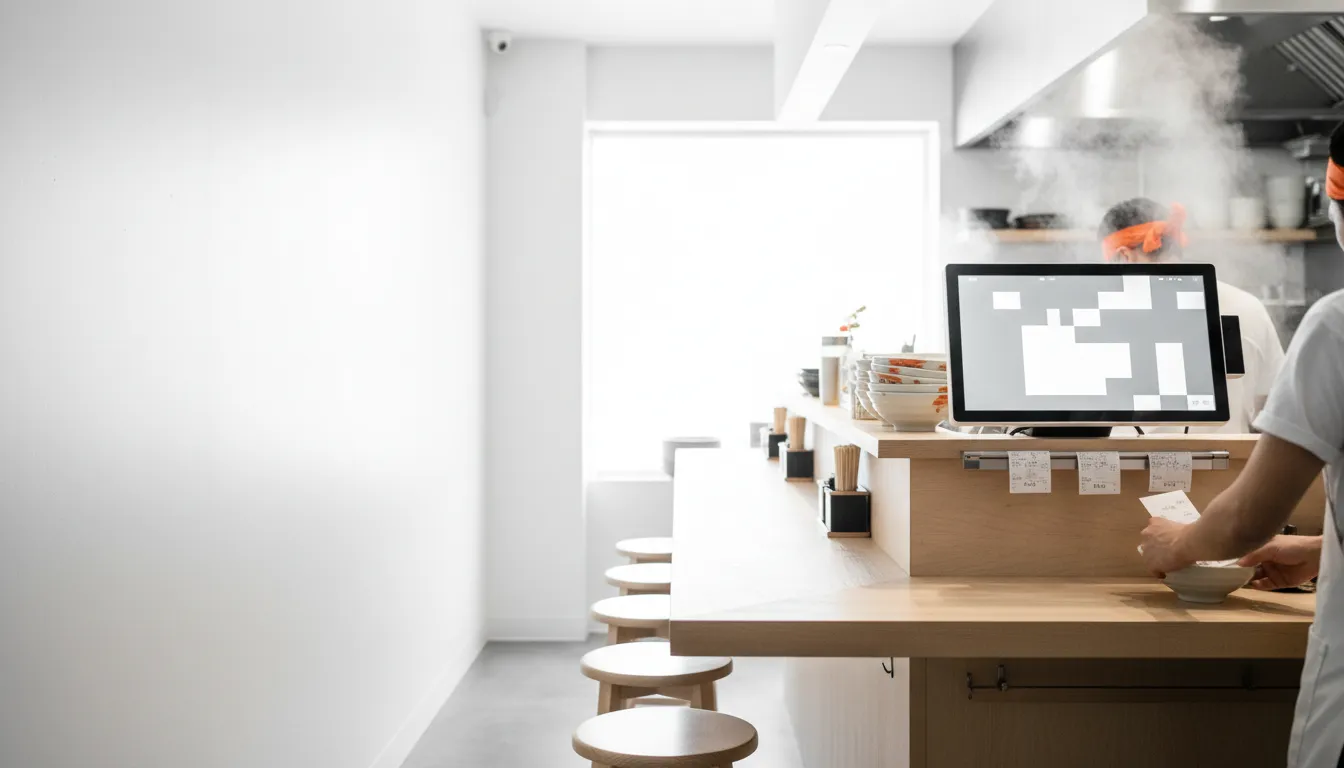
Paper tickets are a liability in a high-volume kitchen. They get lost, smudged by grease, and create confusion between the front counter and the back line. A kitchen display system (KDS) replaces that chaos with a digital workflow, sending orders from the point of sale directly to screens at each prep station.
For a quick service restaurant (QSR), the benefits are immediate: speed and accuracy. With a KDS, there is no delay between a customer placing an order and the kitchen starting it. Modifiers like "no onions" or allergy alerts are displayed clearly, reducing costly mistakes and remakes. Some restaurants report that implementing a KDS can increase order accuracy by up to 40%, according to NovaTab. This efficiency is a core reason the global KDS market is projected to grow steadily, with some estimates from Astute Analytica suggesting it will reach over $850 million by 2033.
A KDS also provides valuable data. Ticket timers show exactly how long each order takes, helping managers identify bottlenecks before they impact service. By digitizing the order flow, you gain visibility into your kitchen's performance, allowing you to optimize staffing and workflows for peak hours. This move from paper to screen is less about technology and more about gaining control over your operations.
Key features for a QSR KDS: order routing, timing, and multi-station support

Not all KDS platforms are built for the demands of quick service. When evaluating options, focus on features that directly address QSR bottlenecks.
Order Routing: A fundamental feature is the ability to route specific items to designated stations. When an order for a burger and a milkshake comes in, the KDS should automatically send the burger ticket to the grill screen and the milkshake to the beverage screen. This prevents a single, long ticket from confusing different parts of the line. Advanced systems can also route based on order source, like delivery vs. dine-in.
Order Timers and Alerts: Every ticket on a KDS screen should have a visible timer. This shows how long an order has been active, allowing staff to prioritize. Most systems use color-coded alerts, for example, turning a ticket yellow as it approaches your target time and red when it's late. This visual cue keeps the team focused on speed without a manager having to constantly check in.
Multi-Station Support: A busy QSR rarely operates with a single screen. A typical setup requires at least two or three KDS screens to manage distinct preparation areas like the grill, fry station, and an expo window where orders are assembled and checked. The system must allow cooks at one station to bump an item, signaling to the expo screen that it's ready for bagging. This station-to-station communication is what keeps the entire line in sync.
What happens when the internet drops?
For any restaurant, but especially a QSR where transaction volume is high, an internet outage can bring service to a halt. How a KDS handles being offline is a critical, and often overlooked, consideration.
A well-designed KDS should have a dependable offline mode that relies on the local network (your in-store Wi-Fi). If the internet connection from your provider goes down, your POS terminals should still be able to send orders to the KDS screens over this local connection. Systems like Toast, Clover, and SpotOn all offer an offline mode where in-store orders continue to flow to the kitchen, as detailed on their support pages like this one from Toast.
However, there are trade-offs. While in-house orders work, new online orders from your website or third-party apps will not be received, as they depend on the cloud. Card payment processing also changes; some systems can queue transactions to be processed once connectivity is restored, while others may require you to use a cellular backup or decline cards. Features that rely on the cloud, such as real-time analytics or screen-to-screen communication in some setups, may also be temporarily unavailable.
SyncBite is built with this reality in mind. In offline mode, orders taken on the POS will continue to fire to the KDS over the local network. Card payments are queued securely and processed automatically once the connection is restored. While new AI ordering and WhatsApp orders require an internet connection to be received, the core in-store operation remains functional, preventing a complete shutdown during an outage.
See a smarter kitchen workflow in action.
A KDS is more than a screen—it's your kitchen's command center. Explore our live demo to see how SyncBite connects AI ordering, KDS, and inventory in one unified system.
Explore the Live DemoComparing top KDS options for QSRs

The market for kitchen display systems is crowded, but for most QSRs, the choice comes down to a few key players. The best option often depends on the POS system you already use, as tight integration is essential. Here’s how five leading options compare as of September 2026.
SyncBite, one of the systems compared below, is our product. We've built it to offer an all-in-one solution with predictable pricing, but we recognize it's not the only choice. This comparison is designed to be fair and transparent to help you make the right decision for your business.
Toast KDS: As one of the dominant players in the restaurant POS space, Toast offers a KDS that is tightly integrated into its ecosystem. It runs on Toast's proprietary, kitchen-grade Android hardware. The main advantage is the direct connection to Toast POS, online ordering, and reporting. The downside is the lock-in; you must use Toast's hardware and payment processing.
Square KDS: For restaurants already using Square for Restaurants, the Square KDS is a natural fit. It’s known for its user-friendly interface and simple setup on Android or iPad devices. The software is included in the Square for Restaurants Plus plan, making it a cost-effective choice for many smaller QSRs. However, its routing capabilities are more basic than some enterprise-level systems.
Fresh KDS: Unlike Toast and Square, Fresh KDS is a standalone system designed to integrate with a wide variety of POS platforms, including Clover and SpotOn. This makes it an excellent choice if you're happy with your current POS but need a powerful KDS. It runs on standard iOS and Android tablets, offering hardware flexibility. Pricing is on a per-screen basis, which is transparent and easy to budget for.
Lightspeed KDS: Lightspeed Restaurant offers a KDS as an add-on to its POS platform. It provides advanced features like detailed reporting and multi-location management, making it suitable for growing chains. However, the base POS subscription is more expensive than some competitors, and the KDS is an additional monthly fee per screen.
SpotOn KDS: SpotOn partners with Fresh KDS to provide its kitchen display solution, ensuring a feature-rich experience. It integrates with the SpotOn POS to route orders to different prep stations automatically. A key feature is its offline mode, which keeps the kitchen running during internet disruptions.
A competitor might be a better choice than SyncBite if you are deeply integrated with a POS like Toast and have no plans to switch. In that scenario, the native Toast KDS provides the most direct experience within that specific ecosystem, despite the hardware and processing lock-in.
KDS provider comparison
| Provider | Base Monthly Price (Software) | Processing Model | Contract Length | Hardware Lock-In | Best-Fit Operator |
|---|---|---|---|---|---|
| SyncBite | Starts at $49/mo (includes KDS) | Integrated or bring your own | Month-to-month | No, runs on any tablet/browser | QSRs wanting an all-in-one AI system with no lock-in. |
| Toast KDS | $25/mo per screen (add-on) | Toast Payments only | 2+ years typical | Yes, Toast hardware required | Restaurants committed to the Toast ecosystem. |
| Square KDS | $20/mo per device (or included in Plus plan) | Square Payments preferred | Month-to-month | No, runs on iPad/Android | Small QSRs and food trucks already on Square. |
| Fresh KDS | $20/mo per screen (Essentials plan) | N/A (integrates with POS) | Month-to-month or annual | No, runs on iPad/Android | Restaurants needing a flexible KDS for their existing POS. |
| Lightspeed KDS | $30/mo per screen (add-on) | Lightspeed Payments preferred | Annual | No, runs on iPad | Full-service restaurants and chains needing advanced inventory. |
Pricing and terms are based on publicly available information as of September 2026 and may vary.
SyncBite KDS: optimizing workflow for high-volume quick service
A KDS shouldn't just display tickets; it should actively help your kitchen manage the rush. The SyncBite KDS is designed as a central part of our AI POS system, connecting every part of your operation from ordering to fulfillment.
When an order comes in, whether from the counter, a QR code, or a WhatsApp conversation, it appears instantly on the KDS. But SyncBite goes further by integrating with predictive inventory. As items are fulfilled on the KDS, inventory levels are adjusted in real time. The system can alert you when you're running low on a key ingredient, preventing you from selling items you can't make.
The workflow is built for speed. Clear ticket timers, color-coded urgency, and simple one-tap controls allow cooks to focus on food, not technology. And because SyncBite is an all-in-one platform, the KDS works with our automated CRM. A completed order can trigger a follow-up message to the customer, asking for a review or offering a loyalty reward for their next visit. This closes the loop between the kitchen's performance and the guest's experience.
You can explore these workflows in our live product demo to see how the KDS, AI ordering, and dashboard work together.
Choosing the right KDS for your quick service restaurant's unique needs
The best KDS is the one that solves your kitchen's specific problems without adding unnecessary complexity or cost. Start by evaluating your current POS. If you're happy with it, a standalone system like Fresh KDS that integrates well is a strong contender. If you're using a closed ecosystem like Toast, their native KDS is often the path of least resistance.
For new restaurants or those looking to upgrade their entire tech stack, an all-in-one platform like SyncBite offers significant advantages. By bundling the POS, KDS, online ordering, and CRM, you avoid the headaches of managing multiple vendors and subscriptions. The data flows from one part of the system to another, giving you a complete picture of your business from a single dashboard.
Consider your hardware preferences as well. Systems that run on standard tablets (iOS or Android) offer flexibility and lower upfront costs. Proprietary hardware can be more durable but leads to vendor lock-in and higher replacement expenses.
Ultimately, the goal is to find a system that makes your kitchen quieter, faster, and more accurate. A 14-day free trial, like the one offered by SyncBite, is a risk-free way to see how a modern KDS performs in your actual kitchen environment before making a commitment.
FAQ
What is the main benefit of a KDS for a quick service restaurant?
The main benefit is a dramatic increase in speed and order accuracy. A KDS eliminates paper ticket confusion, sends orders to the kitchen instantly, and ensures modifiers are clearly displayed, which reduces errors and gets food to customers faster.
How much does a KDS cost?
KDS software typically costs between $20 and $50 per screen, per month. Hardware costs for a kitchen-grade screen can range from $400 to over $1,500 per station. Some POS providers bundle KDS software into their higher-tier plans.
Can I use an iPad for a kitchen display system?
Yes, many KDS systems, including SyncBite and Fresh KDS, are designed to run on standard iPads or Android tablets. While consumer tablets are a cost-effective option, commercial-grade screens are more durable and built to withstand the heat and grease of a professional kitchen.
Do I need a KDS if I only have a small cafe?
For very small operations with low order volume and a single cook, a simple ticket printer might be sufficient. A KDS becomes valuable when you start juggling multiple order sources (dine-in, online, delivery) or have multiple prep stations that need to be coordinated.
How does a KDS handle online orders?
An integrated KDS will receive online and delivery orders directly from your POS or ordering platform. They appear on the screen just like in-store orders, often with a tag indicating the source (e.g., 'Uber Eats' or 'Online Pickup'). This consolidates all orders into a single workflow for the kitchen.
Ready to ditch the paper tickets?
Start your 14-day free trial to see how SyncBite's AI POS and integrated KDS can streamline your kitchen, reduce errors, and help you manage the rush. No credit card required.
Start Free Trial