Kitchen display system for restaurants: buyer questions answered
KDS vs. paper tickets: what's the real difference?
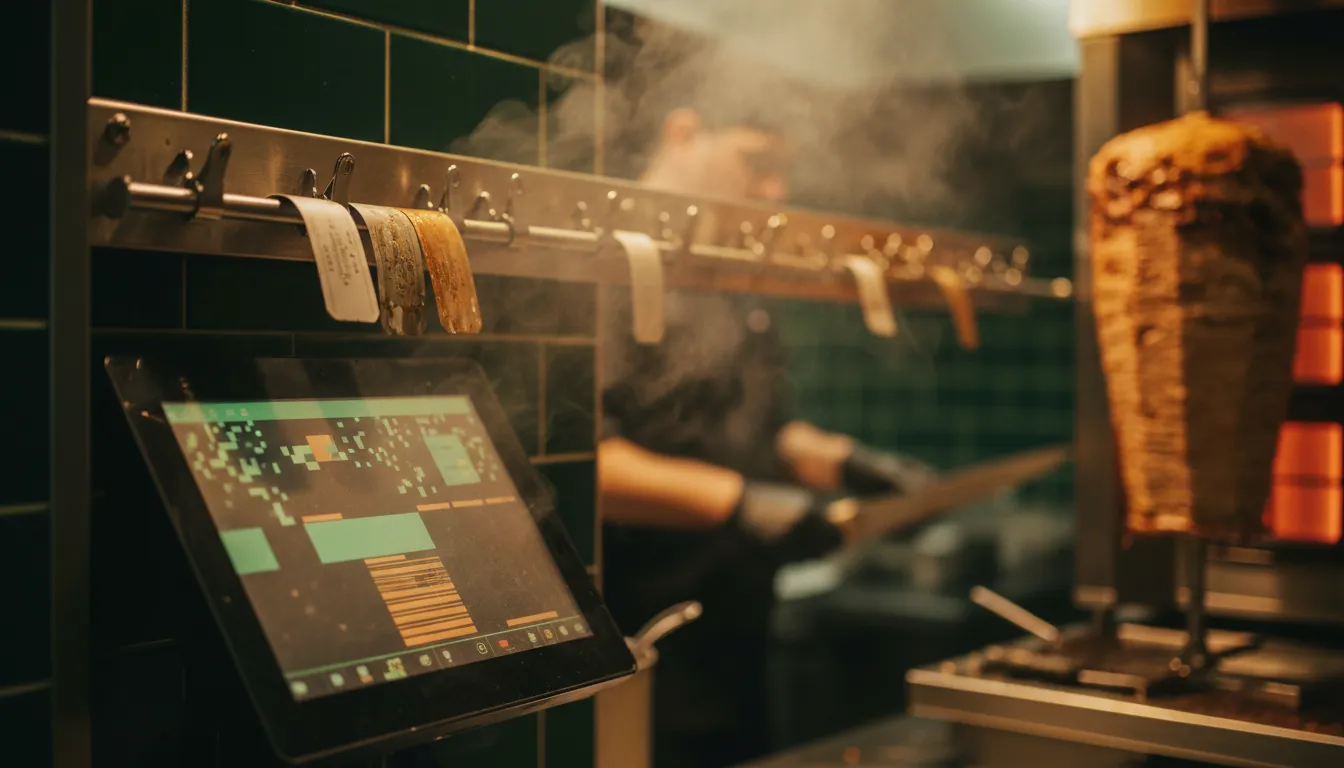
For decades, the sound of a thermal printer was the heartbeat of the kitchen. An order comes in, a ticket prints, and a cook grabs it. The system is simple, but it has clear failure points. Tickets get lost, smudged with grease, or spiked in the wrong order. Handwriting on modifications can be impossible to read. There's no data on how long an order has been sitting. Fixing a single mistake means another ticket, more confusion, and a comped meal.
A Kitchen Display System (KDS) replaces the printer and paper with one or more screens. When an order is placed at the front-of-house POS, through a QR code on the table, or via your website, it appears instantly on the KDS screen. No running, no shouting, no lost paper.
The benefits are immediate. Digital orders are always legible. Modifications are clearly shown. Most importantly, a KDS tracks time. Every ticket has a running clock, often color-coded, so the expo or manager can see at a glance what's on time and what's falling behind. Some studies show KDS adoption can reduce order errors by up to 40%. When you consider that nearly half of customers are unlikely to return if their order is prepared incorrectly, the case for digital tickets becomes very strong.
Going paperless also has direct cost savings. A case of thermal printer paper runs $50-$60. Over a year, that and the cost of printer ribbons add up to a few thousand dollars for a busy restaurant, often offsetting a large portion of a KDS software subscription.
Multi-station routing explained

A multi-station KDS splits one ticket across grill, fryer and cold station so each sees only its own items.
This is where a KDS goes from a simple ticket display to a kitchen command center. A single order might have a burger, fries, and a salad. These items are prepared in different parts of the kitchen by different people. With paper tickets, the expo has to call out instructions or cooks have to read the whole ticket and ignore what isn't theirs. This creates noise and mental friction.
A KDS with station routing automatically splits the order. The grill station screen shows only the burger. The fryer station screen shows only the fries. The cold station screen shows only the salad. Each cook is responsible only for the items on their screen. This focused workflow reduces the cognitive load on the line, which is a primary cause of errors during a rush. For a deeper look at managing peak times, our rush hour playbook has practical strategies.
An expeditor screen, often placed at the pass, shows the full order. It tracks the status of items from each station. As the grill cook marks the burger done, the expo's screen updates. When all items for an order are complete, the system flags it for assembly and delivery. This coordination ensures that all parts of a meal are ready at the same time, so nothing sits dying under a heat lamp.
Timers and late-order alerts are your new best friend
Every KDS screen shows how long each order has been active. This is the system's core accountability tool. Most systems use a simple color code: green for new orders, yellow as they approach the target time, and red when they are late. These target times are customizable by the restaurant. A quick-service spot might aim for 5-minute ticket times, while a casual dining restaurant might set it to 15 minutes.
This visual cue does two things. It helps cooks prioritize their board, focusing on the yellow and red tickets first. It also gives a manager an instant read on the health of the kitchen. A sea of green means things are under control. A screen full of red signals a bottleneck that needs immediate attention.
Beyond the screen, a modern KDS can trigger alerts. For example, if a ticket is late by more than five minutes, the manager can get a notification on their phone or smartwatch. This lets them intervene before the customer complains. The data from these timers is also collected for analysis. You can run reports to see average ticket times by hour, day, or even by specific menu item. This data is gold for identifying operational weaknesses and opportunities for menu engineering. If the risotto consistently has a 25-minute ticket time while every other entree is under 15, you have a problem to solve.
See a live KDS in action.
No powerpoints, no sales reps. Explore a live SyncBite demo storefront and place a test order. See for yourself how it instantly appears on a multi-station kitchen display.
Explore the live demoConnecting online, QR and WhatsApp orders

In the past, online and third-party delivery orders were a major headache. They arrived on a separate tablet that screeched until someone acknowledged it. Then, a staff member had to manually re-enter the entire order into the main POS system to get it to the kitchen. Each step introduced a chance for human error. A typo could turn a cheeseburger into a chicken sandwich. Forgetting to enter the order at all was even worse.
A modern KDS, when part of an integrated AI POS system, solves this entirely. Orders from your website, a QR code menu, or even a WhatsApp ordering bot flow directly to the KDS. They appear on the kitchen screens just like an order taken by a server in the dining room, with no manual re-entry needed. This eliminates a huge source of errors and saves significant labor.
This integration is no longer a luxury. With digital ordering becoming a permanent habit for many diners, having a single, unified workflow for all channels is essential for efficiency. An AI-powered system like SyncBite can even consolidate orders from multiple third-party delivery apps into the same KDS flow, finally getting rid of the dreaded 'tablet farm' and the manual work that comes with it.
What a KDS costs
The cost of a kitchen display system has two main parts: hardware and software. Most operators overpay because they focus only on the hardware's sticker price.
Hardware: This is the physical screen and the 'bump bar' used to clear tickets. You can use a consumer-grade tablet like an iPad, which might cost $400-$600. They work, but a hot, greasy kitchen environment can kill them in 12-18 months. Commercial-grade touchscreens are built for this abuse and cost more, typically $800 to $2,000 per screen. They are sealed against moisture and have brighter displays that are easier to read from a distance.
Software: This is a monthly subscription fee. It can range from $20 to over $100 per month, and it's often charged per screen. Some POS companies bundle one KDS screen into their higher-tier plans, but charge for each additional station. For example, Square KDS costs $20-$30 per month per device, on top of their POS plan. A three-screen setup could easily add over $1,000 per year in software fees alone.
A typical two-station setup (e.g., for grill and fry) in a fast-casual restaurant might have a first-year cost of around $2,000, including hardware and software. It's a significant investment, but one that can pay for itself quickly through reduced food waste from errors, faster table turns, and savings on paper supplies.
Trying one free
Reading about a KDS is one thing. Seeing it handle a lunch rush is another. The best way to know if a system fits your kitchen's flow is to use it with your own menu and your own team. Many providers, including us at SyncBite, offer a free trial period specifically for this reason.
During a trial, you can answer the most important questions. How easy is it for your cooks to learn? Can you read the screen from across the kitchen? How simple is it to recall a completed order if there's a customer question? Does the routing logic actually match how your kitchen works?
A trial lets you see the system in action without the pressure of a big upfront investment. An AI-powered POS like SyncBite includes the KDS as part of its core system, so you can test the entire workflow from an AI-driven WhatsApp order all the way to the bump bar at the expediter station. You can see our full feature set and start a trial from our pricing page, with no credit card required.
FAQ
What is a kitchen display system for restaurants?
A kitchen display system, or KDS, is a digital screen that replaces paper tickets in a restaurant kitchen. It displays orders sent from the point-of-sale (POS) system, online ordering platforms, and QR codes directly to the cooking staff, improving accuracy and speed.
How much does a KDS system cost?
A KDS system's cost includes hardware and software. Hardware can range from $400 for a consumer tablet to over $1,500 for a rugged commercial screen. Software is typically a monthly fee of $20-$100 per screen, which can add up to $1,000-$3,000+ in the first year for a multi-screen setup.
What is the difference between a KDS and a POS system?
A POS (Point of Sale) system is what front-of-house staff use to take orders and process payments. A KDS (Kitchen Display System) is what back-of-house staff use to see and fulfill those orders. The POS captures the order, and the KDS executes it.
Is a KDS worth it for a small restaurant?
Yes, a KDS is often worth it even for small restaurants. The core benefits—fewer errors, faster service, reduced food waste, and eliminating paper costs—apply at any volume. The improved organization can be especially helpful for small teams managing dine-in, takeout, and delivery orders simultaneously.
How does a KDS handle online and delivery orders?
A modern KDS integrates directly with your restaurant's online ordering system and sometimes even third-party apps. Orders placed online appear on the KDS screens automatically, without requiring staff to manually re-enter them. This eliminates a major source of errors and saves labor.
Ready to lose the paper tickets?
SyncBite's AI POS includes a multi-station KDS, WhatsApp ordering, and predictive inventory. Start a 14-day free trial and see how it works in your kitchen. No card required.
See pricing & start free trial- dataintelo.com
- smg.com
- toasttab.com
- kwickpos.com
- orderem.com
- mastercard.com
- tryotter.com
- fitsmallbusiness.com